Job Search Portfolio: Build One That Gets You Interviews

A job search portfolio is a curated collection of work samples and measurable results that proves you can solve a hiring manager’s problem — not just summarize your history. The fastest way to get noticed: publish a mobile-friendly landing page with one clear outcome metric and three recent project thumbnails. You can do that in 20 minutes. Pick one project right now, write a single impact headline (“Reduced onboarding time by 40% for a 200-person team”), and you have your starting point.
Table of Contents
- What is a job search portfolio, and how is it different from your resume?
- Why does a portfolio matter to recruiters and hiring managers?
- Exactly what to put in your portfolio: a checklist and a case-study template
- How to build your portfolio step by step
- Which format should you choose: website, PDF, or platform?
- How to present your portfolio in interviews: the three-act arc
- Final review checklist and common mistakes that cost you interviews
- Key Takeaways
- What actually separates a portfolio that gets callbacks from one that gets ignored
- Your resume is already a portfolio waiting to be published
- Useful sources and further reading
What is a job search portfolio, and how is it different from your resume?
A professional portfolio is a curated, visual collection of work samples that provides concrete evidence of your skills, accomplishments, and qualifications. Your resume summarizes your career history. Your portfolio demonstrates your capabilities in action, with context, artifacts, and outcomes attached.
Think of the difference this way:
- Resume: “Managed social media for a B2B software company.”
- Portfolio: A case study showing the campaign brief, three content samples, and the result: “Grew LinkedIn followers 62% in six months and generated 14 qualified leads.”
When to use each in the hiring funnel:
- Application stage: Link your portfolio URL in your resume header and cover letter.
- Interview stage: Walk through 2–3 case studies to anchor your answers in real evidence.
- Follow-up stage: Send a tailored PDF excerpt that matches the role’s top priorities.
Format options and when each fits:
- Portfolio website: Best for discoverability, live demos, and roles where hiring managers search for candidates online.
- PDF packet: Useful for ATS-driven applications or when an employer asks for attachments.
- Physical binder: Still effective in certain industries (education, architecture, design) when you want to leave a copy behind after an interview.
Why does a portfolio matter to recruiters and hiring managers?
Recruiters scan portfolios for only 6–8 seconds before deciding whether to investigate further. That single fact should shape every layout decision you make. If your most compelling result is buried three scrolls down, it will never be seen.
Here is what a strong portfolio does for your job search:
- Builds credibility fast. Work samples prove competence in a way that bullet points on a resume cannot.
- Differentiates you. Most candidates submit a resume and nothing else. A portfolio signals initiative and professionalism.
- Fuels interview conversations. Concrete artifacts give interviewers something to ask about, which shifts the dynamic in your favor.
- Provides tailored evidence. You can swap in the most relevant case studies depending on the role.
Recruiter scan time is 6–8 seconds. Design your portfolio so the single most important business outcome you have delivered is visible without scrolling, on any screen size.
The expectation varies by field. Creative roles (design, copywriting, photography) have long required portfolios. But the same logic now applies to marketing managers, software engineers, project managers, and educators. Any role where outcomes can be documented benefits from one. If you are in marketing specifically, the case for a portfolio has never been stronger — marketers who skip a portfolio increasingly lose ground to candidates who show, not just tell.
Exactly what to put in your portfolio: a checklist and a case-study template
The master checklist
Effective portfolios typically contain a handful of high-quality work samples. Here is everything yours should include:
- Contact information — name, email, LinkedIn URL, and your portfolio’s own URL.
- Short career summary — two to three sentences on who you are and the value you bring.
- Resume — a downloadable PDF version linked from the portfolio.
- Skills section — a concise list of technical and soft skills, grouped by category.
- 6–10 work samples — prioritize recent (within the last 12–24 months), relevant, and high-impact work.
- 2–3 full case studies — expanded narratives built from the template below.
- Testimonials or references — client quotes, manager endorsements, or LinkedIn recommendations.
- Relevant certifications — Google Analytics, PMP, AWS, teaching credentials, or whatever applies to your field.
- Links to live work — live product URLs, GitHub repositories, or published articles where permitted.
The case-study template
Each case study answers four questions in a scannable format:
- Business problem: What challenge did the organization face? (One sentence.)
- Your role: What were you specifically responsible for? (Distinguish your contribution from the team’s.)
- Deliverable: What did you produce or execute? (Name the artifact: a campaign, a feature, a training program.)
- Measurable outcome: What changed as a result, and by how much?
Example impact headline: “Redesigned the customer onboarding flow, cutting time-to-first-value from 14 days to 4 days for 3,000 new users.”
Selecting and sizing your samples
Quality beats quantity every time. Choose work that is recent, directly relevant to the roles you are targeting, and backed by a number. If you have 15 solid pieces, curate the best 8 rather than padding the portfolio. A master portfolio — a private archive of everything you have ever done — is a useful backstage tool. Your published portfolio is the edited highlight reel.
Handling proprietary and NDA-bound work
You can still include confidential work with a few adjustments:
- Redact identifying details from screenshots (client names, internal data, revenue figures).
- Use proxy metrics — describe percentage improvements rather than absolute numbers when the absolute figures are confidential.
- Ask for permission when possible; many employers will grant it for anonymized samples.
- Describe the process in detail even when you cannot show the artifact. A well-written process narrative demonstrates judgment and methodology.
How to build your portfolio step by step
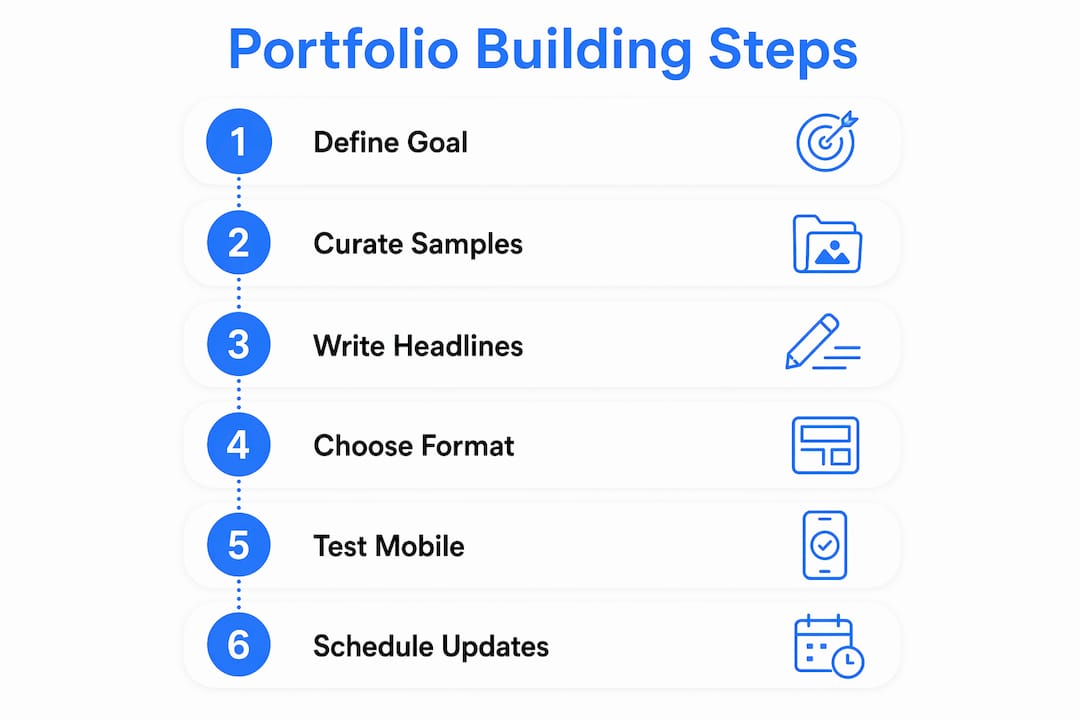
Step 1: Define your goal and audience
Before you open a single template, answer two questions: What role are you targeting? What does that hiring manager care most about? A product manager’s portfolio looks different from a data analyst’s. Anchor every decision to the specific job you want next.
Step 2: Curate your samples
Pull your best 6–10 work samples from your master archive. Flag 2–3 of them for full case-study treatment. Prioritize recency and relevance over nostalgia for older work you are proud of.

Step 3: Write impact-first headlines
Every project needs a one-line headline that leads with the outcome, not the activity. “Managed email campaigns” becomes “Drove a 28% open-rate lift across a 50,000-subscriber list through segmentation and A/B testing.” That headline is what survives a 6-second scan.
Step 4: Choose your format and publish
A portfolio website gives you the most flexibility and discoverability. A PDF packet works when an employer requests attachments. For a fast, clean start, tools that convert your resume directly into a live site cut the setup time dramatically. Once published, test the page on your phone. If the key outcome metric is not visible above the fold on a 375px screen, move it up.
Pro Tip: Place one clear, measurable business outcome in the top-right quadrant of your portfolio landing page. Open the page and count to six. If you cannot read that metric in six seconds, a recruiter will not either. This single layout change is the highest-leverage edit you can make.
Step 5: Test for mobile and performance
Mobile-first design is non-negotiable. Define the minimum information a recruiter needs on a phone: project title, outcome metric, your role, and brief context. Build around that baseline before adding desktop-only extras. Target a page load under 8 seconds on a cellular connection.
Step 6: Set a maintenance schedule
A portfolio with work older than 12 months and nothing recent signals stagnation. Add a new project every 90 days. Set a calendar reminder. After each significant project at your current job, spend 30 minutes writing the case study while the details are fresh. For a deeper walkthrough of the conversion process, the resume-to-portfolio guide covers each publishing step in detail.
Which format should you choose: website, PDF, or platform?
The right format depends on how the recruiter will encounter your portfolio and what you need it to do.
Website:
- Best when you want discoverability (Google-searchable, linkable in email signatures).
- Supports live demos, embedded video, and interactive code.
- Requires a mobile-first build and a load time under 8 seconds on cellular.
PDF:
- Best for ATS-driven applications or roles where email attachments are standard.
- Keep it under 5MB. Use hyperlinks for live work references.
- Accessibility: tag headings and alt-text images so screen readers can parse the file.
Hosted platform:
- Fastest path from zero to published. Templates handle layout decisions.
- Less customization than a custom site, but sufficient for most job seekers.
- Check that the platform supports a custom domain if you want a professional URL.
Key metrics to design for
| Metric | Target | Why it matters |
|---|---|---|
| Recruiter scan time | 6–8 seconds | Place your top outcome above the fold |
| Mobile load time | Under 8 seconds on cellular | Large share of views happen on phones |
| Above-fold outcome | Visible without scrolling | Heatmap research shows most attention concentrates here |
| Minimum mobile content | Title, outcome, role, context | Core info must survive the smallest screen |
For a side-by-side look at how a portfolio site compares to a LinkedIn profile in terms of recruiter impact, the portfolio vs. LinkedIn breakdown is worth reading before you decide where to invest your time.
How to present your portfolio in interviews: the three-act arc
The case-study structure
Expand each case study with a one-sentence impact headline followed by three to four supporting artifacts: a brief, a screenshot, a data chart, or a deliverable excerpt. The narrative follows a three-act arc:
- Context — the business situation and the problem you were hired to solve.
- Approach — the specific decisions you made and why, including constraints you worked within.
- Outcome — the measurable result, tied back to the business problem in act one.
Aim for a 15–20 minute walkthrough followed by 10–15 minutes of Q&A. That pacing gives you enough time to cover two or three case studies without losing the room.
Tailoring to your audience
Leadership reviewers want business outcomes and financial impact. Technical or peer reviewers want to understand your methods and the reasoning behind your choices. Adjust the depth of your process explanation accordingly. You do not need two different portfolios; you need two different narration tracks for the same artifacts.
Pro Tip: Before a panel interview, ask the recruiter who will be in the room. If it is a mix of leadership and technical reviewers, lead with the outcome for the first two minutes, then offer to go deeper on process for anyone who wants it. This satisfies both audiences without losing either.
Handling live demos and follow-up requests
If you plan to demo a live product or code repository, test it the morning of the interview on the actual device you will use. Have a static screenshot backup ready in case the demo fails. When an interviewer asks for additional evidence after the meeting, send it within 24 hours with a one-paragraph context note.
Final review checklist and common mistakes that cost you interviews
Pre-publish checklist
- [ ] Open the portfolio on your phone. Is the top outcome visible without scrolling?
- [ ] Click every link. Are all contact links, live work URLs, and downloadable files working?
- [ ] Load the page on a cellular connection. Does it open in under 8 seconds?
- [ ] Does each sample include a measurable outcome, your specific role, and a deliverable?
- [ ] Is your contact information visible on the landing page without navigating away?
Common mistakes and quick fixes
- Missing measurable outcomes. Every sample needs a number. If you do not have one, estimate conservatively and note the basis (“approximately 30% reduction based on pre/post survey data”). Concrete metrics outperform decorative layouts every time.
- Over-designing for aesthetics. A beautiful portfolio with no outcome data fails the hiring test. Trim decorative elements that compete with your key metrics.
- Broken links. Set a monthly calendar reminder to click through every URL. One broken link signals carelessness.
- Outdated work with no recent projects. If your newest sample is more than 12 months old, add a recent project before you share the portfolio, even if it is a personal or volunteer project.
- No clear value proposition above the fold. If a recruiter has to scroll to understand what you do and what you have achieved, you have already lost the scan.
Key Takeaways
A strong job search portfolio leads with measurable outcomes, survives a 6–8 second recruiter scan on mobile, and contains 6–10 curated work samples organized into scannable case studies.
Once it is live, aim it at roles that fit: an AI job search that starts from your resume ranks live openings from employers' own career sites by how well your experience matches them.
| Point | Details |
|---|---|
| Lead with outcomes | Place one clear, measurable business result above the fold on your portfolio landing page. |
| Curate 6–10 samples | Select recent, relevant, high-impact work; expand 2–3 into full case studies using the problem-role-deliverable-outcome template. |
| Design mobile-first | Minimum mobile content: project title, outcome metric, your role, and brief context — visible without scrolling. |
| Scan-time target | Recruiters decide in 6–8 seconds; every layout and copy decision should serve that constraint. |
| Myseera speeds publishing | Myseera’s AI extracts your resume content and generates a mobile-ready portfolio site, cutting setup from hours to minutes. |
What actually separates a portfolio that gets callbacks from one that gets ignored
Most candidates treat a portfolio as a digital filing cabinet. They upload everything they have, organize it chronologically, and call it done. That approach misses the point entirely.
The portfolios that consistently generate interview invitations share one trait: every piece of work is chosen and framed to answer a single question the hiring manager is already asking. “Can this person solve my specific problem?” The case studies are not just work samples; they are arguments. Each one builds the case that you have already solved a version of the problem this company is facing right now.
What I look for when reviewing a portfolio is evidence of judgment under constraints. Anyone can produce good work with unlimited time and budget. The candidates who stand out show what they did when the timeline was compressed, the data was incomplete, or the stakeholder was difficult. That context is what makes a portfolio memorable, and it is almost always missing from the ones that fail to advance.
The other signal I pay attention to is recency. A portfolio with nothing newer than two years tells me the candidate has either stopped growing or stopped paying attention to their own career. Adding one new case study every 90 days is a low bar, but most people do not clear it. The ones who do are the ones who tend to be ready for the next opportunity when it arrives.
Your resume is already a portfolio waiting to be published
The gap between a strong resume and a published portfolio is smaller than most job seekers think. Myseera closes it in minutes. Upload your CV in PDF or DOCX format, and the AI extracts your experiences, skills, and projects, then generates a professional portfolio website with profession-specific templates you can customize inline. No design skills required.
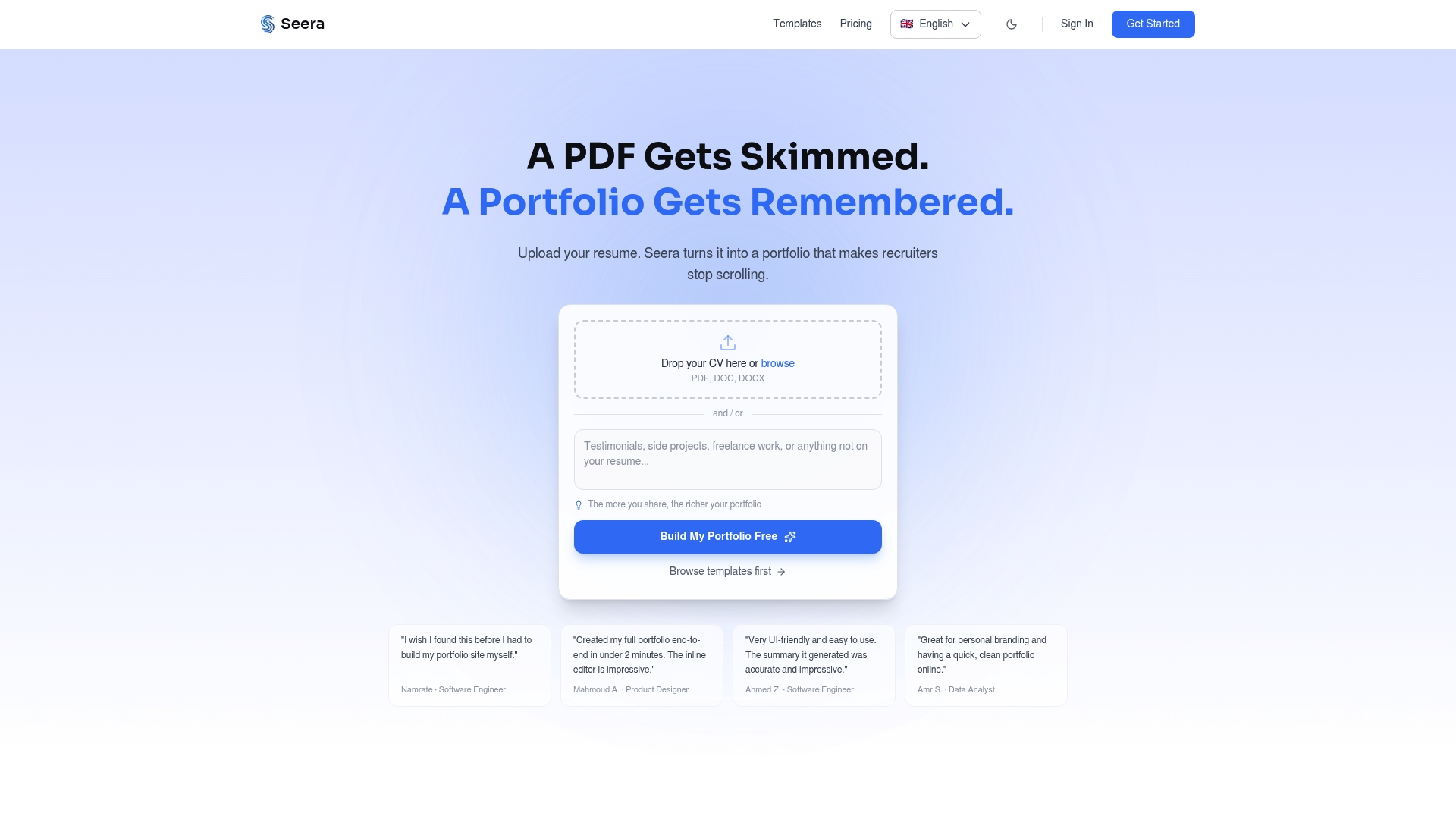
For job seekers who want a fast path from resume to live site, Myseera’s mobile-first templates handle the layout decisions that typically slow people down. Built-in analytics show you which projects recruiters spend the most time on, so you can refine your portfolio based on real behavior rather than guesswork. Students and recent graduates can start with the free student portfolio builder, which includes templates designed specifically for internship and entry-level applications. If you are ready to publish today, convert your resume to a portfolio site and go live before your next application goes out.
Useful sources and further reading
The following resources informed the recommendations in this article. They are worth bookmarking for deeper research on specific topics.
- CareerOneStop — Portfolios: U.S. Department of Labor-affiliated resource defining portfolio types and what to include; supports the definition and checklist sections.
- Texas State University Career Services — Portfolio Guide: Practical guidance on physical vs. digital formats and when to leave a copy with an interviewer.
- Portfolio Layout Formula — Career Guide (CodeTalentHub): Source for the 6–8 second scan-time figure, mobile-first minimum content guidance, above-the-fold heatmap research, and the design-trap warning. Cited throughout the formats, build, and review sections.
- ALIS — How to Build a Job Portfolio: Covers the master portfolio concept and maintenance scheduling; supports the confidence and career-planning angle.
- The Crit — Portfolio Interview Presentation: Source for the three-act arc structure and the 15–20 minute walkthrough plus 10–15 minute Q&A timing recommendation.
- Andy Polaine — Presenting Your Portfolio and Yourself for Interviews: Supports the audience-tailoring guidance (leadership vs. peer reviewers) and the narrative consistency insight.
- UMGC Career Services — Using a Professional Portfolio in Your Job Search: Broad overview of portfolio benefits and content types; supports the “why it matters” section.
Recommended
- How to Make Your Portfolio Stand Out to Recruiters — Seera
- Portfolio Website vs LinkedIn Profile: Which One Actually Gets You Hired?
- Portfolio Builder for Students — Free AI Portfolio for Internships & Jobs | Seera
- Resume to Portfolio Website — A Complete Step-by-Step Guide — Seera